

← Return to Account

Updating your Farm Details
How to update your Farm details, CPH, Holding Number etc.
1. Login to your dashboard
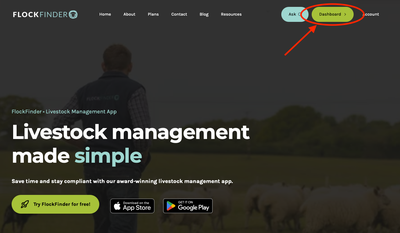
Go to flockfinder.co.uk and log in. Then click on 'Dashboard'.
2. Navigate to Account
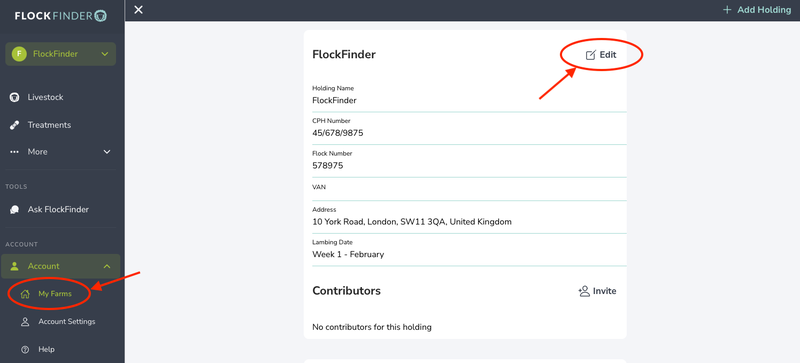
In the menu on the left of the screen, click 'Account' then 'My Farms'
3. Update Farm Details
Click on the Edit button to update any of the farm's details. Name, Flock Number, CPH etc.
Still stuck? Email us for help