Mark one animal as moved off your holding without creating a movement form.
Updated 4 Nov 2026 · App 2.41.0
This updates the animal's status only. To record a movement, use New movement in Movements.
On your phone
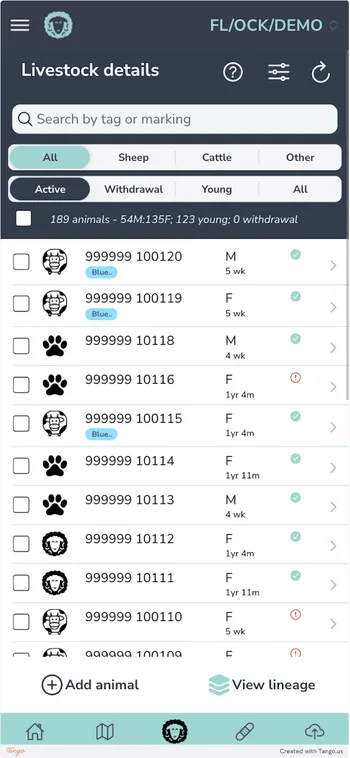
Open the animal from Livestock.
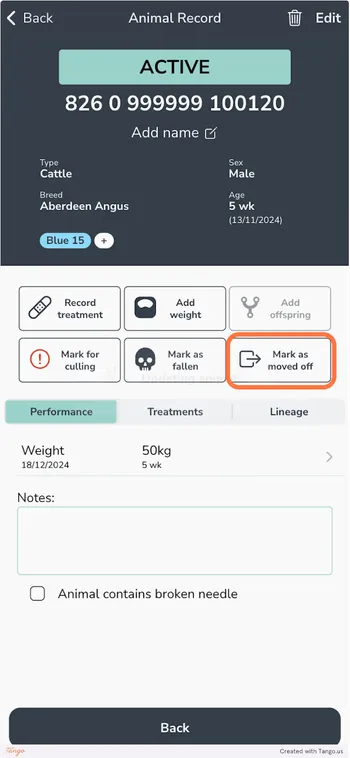
Tap the ... menu, then Mark as moved off.
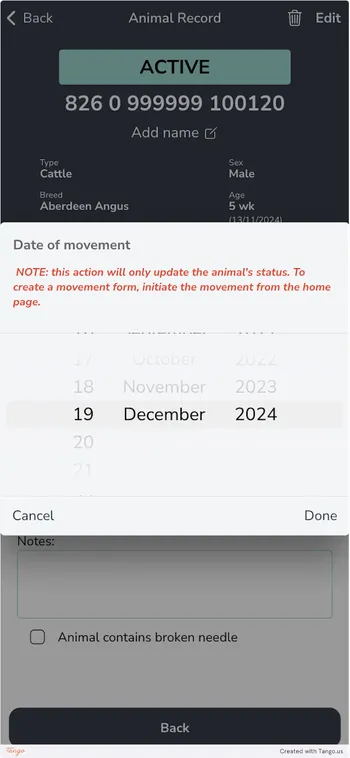
Choose the Date of movement.
Tap Done.
On a computer
Open the animal from Livestock.
Click Mark as moved off.
Choose the Date of movement.
Click Done.
More than one animal
Tick the animals on Livestock, then use Move off holding on a computer or Move Selected on a phone. For sheep you can choose Record a movement or Update status only.
Undo it
Select the bin icon on the Date of Movement panel on the animal's page.