
EID reader app for sheep
Scan ear tags straight into your flock records.
Pair your Bluetooth reader, scan a group of sheep into a session, then treat, label or move every animal in it at once.
30 days free, no payment details needed

Scan, don't type
Scan a tag and FlockFinder finds the animal for you. No tag numbers to type at the race.
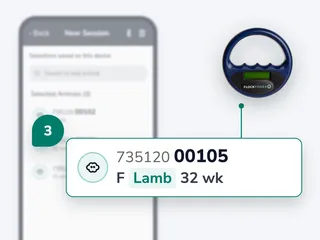
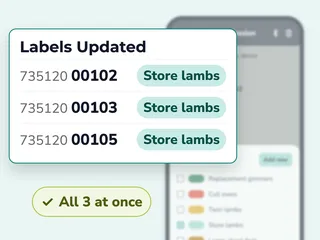
One action for the whole group
Scan animals into a session, then label, treat or move every one of them in one go.
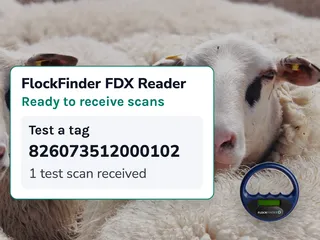
Check a tag before you start
Scan a tag you know and check the number matches. Test scans don't add animals to a session.


How to scan a group with your EID reader


Readers that work with FlockFinder
FlockFinder works with EID readers that use Bluetooth Low Energy, connected to the app on your phone. Each tag goes into the app live, as you scan it.
- FlockFinder FDX Reader: made for FlockFinder, with no settings to change. Reads FDX tags, not HDX, and recharges over USB.
- Also works with Shearwell SDL440S, Tru-Test (Datamars) SRS2i, XRS2i and XRP2i, Agrident / Allflex AWR250 and AWR300 and Gallagher HR0.
- Will not connect: readers that only use older Bluetooth Classic, such as a Tru-Test SRS2 without the “i”.
- No bulk downloads: FlockFinder does not copy stored scans or files off a reader’s memory, as some apps do over Bluetooth Classic.
Add the FlockFinder FDX Reader when you choose a plan, or buy it on its own: see pricing. Not sure about your reader? Read the reader guide or ask us.

EID reader questions
Short answers before you start your free trial.
What's the difference between FDX and HDX tags?
They are two types of microchip used in livestock ear tags. Most UK tag makers use FDX; Shearwell uses a mix depending on the tag. Check with your tag supplier.
Can I download the scans stored on my reader?
No. FlockFinder reads each tag live as you scan it into a session. It doesn't bulk download scans or files a reader has stored, which some apps do over older Bluetooth.
Which readers won't work?
Readers that only use older Bluetooth Classic, such as a Tru-Test SRS2 without the “i”. The reader guide lists the models that do work.
Do I need an EID reader to use FlockFinder?
No. You can search for animals by tag number instead. A reader saves you the typing.
Does the reader work with the website?
Readers connect to the FlockFinder app on your phone, not the website. The records you make show on both.
Can I use the FlockFinder reader with other apps?
No. The FlockFinder FDX Reader works only with the FlockFinder app.
Can I weigh as I scan?
Yes. In a metric session, scan each animal and record its weight or condition score as it comes through.
What if I scan a tag that isn't in my flock?
FlockFinder keeps the tag in the session so you can add the animal or remove the scan.
Works well with

Medicine book
Log treatments in a few taps, with doses and withdrawal dates worked out.
Learn more
Weights and growth
Record weights by hand or with your reader, and see daily live weight gain.
Learn more
Movements and LIS forms
Move groups between fields or off the farm, with the LIS-1 form made from the move.
Learn more
Field mapping
Draw fields on a satellite map, see stocking rates and keep a history of every field.
Learn morePair your reader today.
30 days free, no payment details needed