
← Return to Fields

Move animals between fields
Move animals from one of your fields to another to keep your records up to date.
Updated 4 Nov 2026 · App 2.41.0
Choose the direction
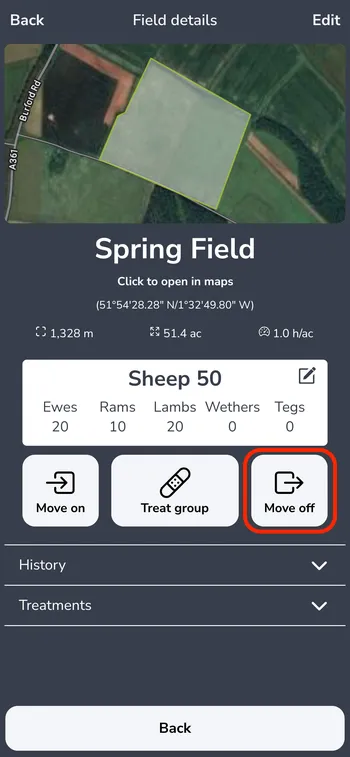
Open the field the animals are leaving. Below the animal counts, tap Move off.
To move animals in instead, open the field they are going to and tap Move on.

Choose the other field
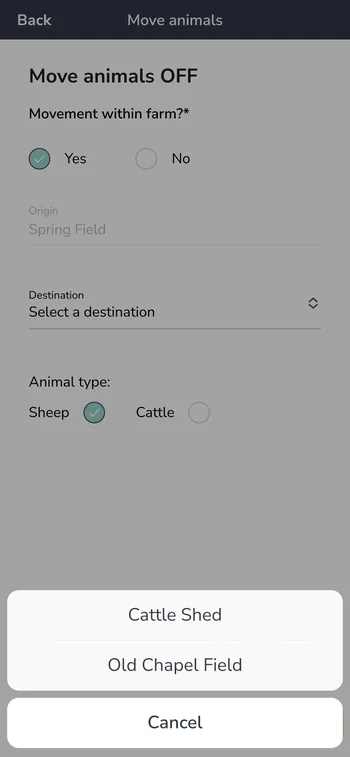
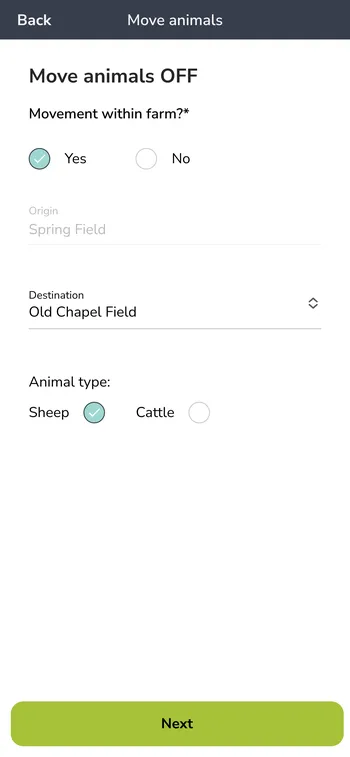
Leave Movement within farm? on Yes.
Under Destination (or Origin when moving on), choose the other field.
Choose the Animal type.

Check the details
Check the details and tap Next.

Enter the count
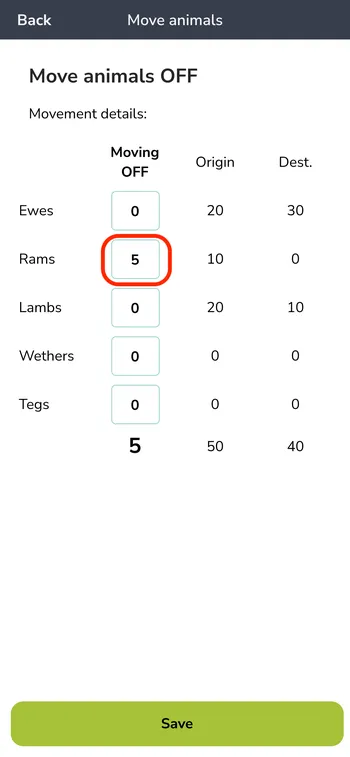
Enter how many animals of each type are moving in the Moving OFF column (Moving ON when moving on). Origin and Dest. show the current counts.
Tap Save.

Still stuck? Email us for help